Why Every Conference Attendee Needs a Digital Business Card
Key Takeaways
- Conferences pack hundreds of potential contacts into a few hours — paper cards cannot keep up
- Digital business cards let you share your full profile via QR code, ready-made NFC card, or a card saved to Apple & Google Wallet
- Prepare your MagicLink page before the event with a tailored bio, relevant links, and a professional photo
- Post-event follow-up becomes effortless because contacts already have your complete profile in their phone
- MagicLink's Pro plan ($1.17/month) adds analytics to track who viewed your page, plus custom slugs, templates, and Apple & Google Wallet cards
Conferences Are Peak Networking — And Peak Chaos
A well-run conference compresses an extraordinary amount of networking into a short window. In two or three days, you might shake hands with 40 or 50 people, attend breakout sessions, linger at booths, share meals with strangers, and swap ideas in hallway conversations that turn out to be more valuable than the keynote.
The opportunity is enormous. The problem is what happens afterward.
You return home with a jacket pocket stuffed with paper business cards. Some are creased. A few have coffee stains. One has a name you cannot read. Three belong to people you have no memory of meeting. You dump the stack on your desk, intend to sort through it over the weekend, and two weeks later it is still sitting there. By the time you finally email someone, the connection has gone cold.
This is not a personal failing. It is a design flaw in the medium. Paper cards were invented for a world where people met one or two new contacts a day, not fifty in an afternoon.
The Paper Card Exchange Problem
The real issue is the gap between collecting a card and acting on it. Paper requires a manual step — you have to type a name, phone number, and email into your phone or CRM before the card becomes useful. Most people skip that step. Research from various business networking studies consistently shows that the majority of paper business cards are never followed up on.
At a conference, the problem multiplies. You are not losing one contact; you are losing dozens. Every card that ends up in a hotel trash can is a missed opportunity — a potential client, collaborator, employer, or mentor gone.
Digital business cards eliminate the manual step entirely. When someone scans your QR code or taps your NFC card, your complete profile — photo, bio, contact buttons, social links, portfolio — is instantly saved to their phone. No typing. No delay. No stack of paper to sort through.
Three Ways to Share Your Digital Card at a Conference
QR code sharing
The most universal method. Open your MagicLink page on your phone and display your QR code. The other person scans it with their phone camera — no app needed on their end. They see your full profile in seconds.
QR codes work everywhere: at a coffee break, beside a booth, during an elevator pitch, or while waiting for a panel to start. They are also perfect for one-to-many sharing — put your QR code on your presentation slides and an entire audience can scan it at once.
Ready-made NFC cards from MagicLink
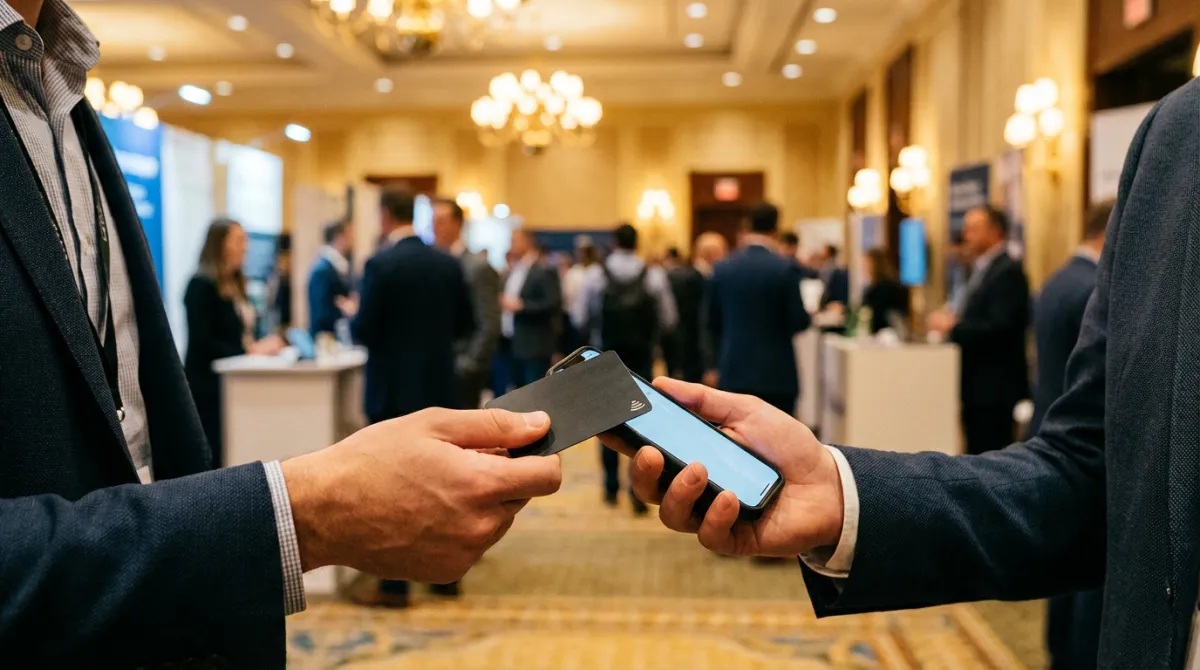
MagicLink offers ready-made NFC cards — sleek physical cards with an embedded chip. When someone holds their phone near your card, your digital profile opens automatically. No scanning, no typing, no app required.
NFC cards are ideal for conferences because they combine the familiar ritual of handing someone a card with the power of a digital profile. You extend a card, they tap their phone, and your full page appears on their screen. It feels personal and it is effortless.
Apple & Google Wallet cards
With MagicLink's Pro plan, you can save your digital business card directly to Apple Wallet or Google Wallet. Your card lives on your phone alongside your boarding pass and credit cards — always one tap away.
At a busy conference reception where you are balancing a drink and a conversation, pulling your card from your wallet is faster than unlocking your phone and navigating to an app. Speed matters when networking windows are measured in seconds.
Pre-Event Preparation: Build a Conference-Ready Profile
A generic digital card works. A card tailored to the specific event works much better. Here is how to prepare.
Update your photo
Use a recent, well-lit headshot. People meet dozens of faces at a conference. When they scroll through their contacts two days later, your photo is what triggers the memory of your conversation.
Write a conference-specific bio
Adapt your bio to the audience you will meet. Attending a fintech summit? Lead with your financial technology experience. Going to a creative industries expo? Highlight your design or content background. Your bio should answer one question for the reader: "Why should I stay in touch with this person?"
Add the right links
Think about what a new contact would want after meeting you:
- Company website — so they can learn about your business
- LinkedIn profile — the standard professional follow-up channel
- Calendar booking link — skip the email back-and-forth and let them schedule a call directly
- Recent project, case study, or portfolio — proof of your work
- Presentation slides — essential if you are a speaker at the event
Set up a custom slug (Pro)
MagicLink's Pro plan lets you create a memorable URL like magiclink.az/yourname. This is invaluable at conferences where you often share your contact verbally. Saying "Find me at magiclink dot az slash johnsmith" is far easier than spelling out a long URL in a loud exhibition hall.
Choose a professional template (Pro)
First impressions count. MagicLink's Pro plan includes professionally designed templates — pick one that matches the tone of the event. A corporate template for a banking conference; a bold, creative one for a design meetup.
During the Event: Make Every Interaction Count
The 10-second exchange
Conference conversations are short. You might have 30 seconds between sessions or three minutes at a networking table. Your card exchange should take no more than 10 seconds:
- Pull out your NFC card or open your QR code
- The other person taps or scans
- Your profile loads instantly
- They save your contact with one tap
Compare that to the paper ritual: dig through your bag for your card holder, hand over a card, receive one back, flip it over to jot a note about the conversation, and hope you remember who this person was when you find the card in your coat pocket next week.
Both people have digital cards? Even better.
When both sides use digital cards, the exchange is seamless. You each scan or tap, and both walk away with the other's complete profile. No paper changes hands. Nothing gets lost.
Speaking on a panel or presenting?
Add your QR code to your closing slide. Every audience member can scan it from their seat, turning a one-to-many presentation into dozens of individual connections — without a single paper card leaving your hand.
Post-Event Follow-Up: Where Digital Cards Win Decisively
The real value of a digital business card reveals itself after the conference ends. This is where paper cards fail hardest and digital cards shine brightest.
Your contacts already have everything
They do not need to search for you on LinkedIn and hope they pick the right person out of five results. Your photo, bio, phone number, email, social links, and portfolio are already in their phone. They can call, message, or email you with one tap.
Analytics show your reach (Pro)
With MagicLink's Pro plan, you can see how many people viewed your profile after the event. A surge in page views the day after the conference confirms your networking paid off. While individual viewer identities are not shown, the aggregate data helps you understand your overall reach and which events generate the most interest.
Follow up with context, not cold intros
Because your contact has already browsed your profile, your follow-up email can build on that: "As you may have seen on my page, I recently completed a project very similar to what you described — let's find a time to discuss how that approach could help your team." This is far more effective than a generic "Nice meeting you" message.
Real Scenarios: Digital Cards in Action at a Conference
Scenario 1: The booth visitor. You are exhibiting at a trade show. A potential client stops by, interested but in a hurry. You tap your NFC card to their phone. They walk away with your full company profile, product links, and a direct way to contact you. No brochure to carry. No card to lose.
Scenario 2: The hallway connection. Between sessions, you strike up a conversation with someone in your industry. Instead of awkwardly patting your pockets for a paper card, you show your QR code. Five seconds later, they have your profile saved.
Scenario 3: The after-party. Informal settings are where the best connections happen, but nobody carries a card holder to dinner. Your card is in your Apple or Google Wallet — always accessible, even with no pockets and no bag.
Scenario 4: The international conference. You meet people from six different countries. Language barriers make spelling names and emails error-prone. A QR scan bypasses all of that — the information transfers perfectly every time, in any language.
How to Get Started With MagicLink
Setting up your conference-ready digital business card takes five minutes:
- Sign up for free at magiclink.az — create unlimited pages with full customization at no cost
- Build your profile — add your photo, bio, contact buttons, social links, and the URLs that matter for this event
- Upgrade to Pro for conference power features — for just $1.17/month, unlock analytics to track post-event views, custom slugs for easy verbal sharing, professionally designed templates, and the ability to add your card to Apple & Google Wallet
- Order a ready-made NFC card — a physical card that opens your digital profile with a single tap
- Save your card to your wallet — keep it on your phone for instant access at any moment
Whether you attend one conference a year or travel the circuit full-time, a digital business card ensures that every handshake leads to a real, lasting connection — not a crumpled piece of paper at the bottom of a bag.
Your next conference is a chance to build relationships that shape your career. Do not let paper cards stand in the way. Create your free MagicLink page now and make every connection count.