Digital Business Cards for Lawyers and Law Firms
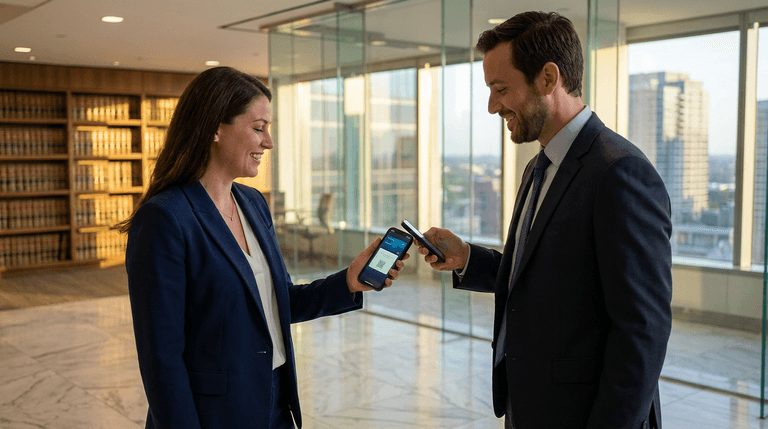
Referrals drive the legal profession. According to Clio's 2025 Legal Trends Report, nearly 59% of clients choose a lawyer based on a trusted recommendation — and clients acquired through referrals have a 37% higher retention rate. Yet most attorneys still rely on paper cards that get lost, go out of date the moment they change firms, or sit forgotten in a desk drawer.
A digital business card solves every one of those problems. Here is why lawyers and law firms are making the switch, and how to do it without running into ethics issues.
Key takeaways
- Referrals are everything in law — digital cards make it effortless for clients and colleagues to share your contact details with others.
- Instant updates — changed firms, made partner, or added a new practice area? Update once and every past recipient sees the current info.
- Ethics-friendly — browser-based digital cards comply with ABA Model Rules on advertising because the recipient pulls your information on demand.
- More than a name and number — include your practice areas, bar admissions, booking link, office directions, and social profiles in one place.
- Cost-effective for firms of any size — solo practitioners and large firms alike can roll out digital cards in minutes.
Do Lawyers Still Need Business Cards?
Short answer: yes — but not paper ones.
A Harvard Business Review survey found that 95% of professionals consider face-to-face meetings essential for long-term business relationships. Courthouses, CLE workshops, bar association mixers, and client intake meetings are all moments where exchanging contact information matters. The question is not whether you need a card, but what form it should take.
Paper cards have real limitations for attorneys. When you move from associate to partner, switch firms, or get admitted to a new jurisdiction, every card you have already handed out becomes inaccurate. A digital business card updates in real time — one change on your profile and everyone who saved your card sees the new information automatically.
With MagicLink, you can create a professional digital card in minutes. Add your name, credentials (JD, Esq.), practice areas, bar admissions, office address, and a link to schedule a consultation. Share it via QR code, NFC tap, email signature, or a simple link.
Are Digital Business Cards Ethical for Lawyers?
This is the first question most attorneys ask, and it is a fair one. The legal profession is one of the most heavily regulated when it comes to advertising and solicitation.
The good news: digital business cards are generally compliant with bar advertising rules. ABA Model Rule 7.2 permits lawyers to communicate information about their services through any platform, as long as the content is truthful and not misleading. Because browser-based digital cards work on a pull model — the recipient scans your QR code or taps your NFC card to view your information — they fall on the responsive-communication side of the line, not the solicitation side.
A few practical guidelines to keep things clean:
- Don't claim specialization unless you hold a formal board certification recognized by your state bar.
- Include jurisdiction disclosures if you practice across multiple states or are admitted to federal courts.
- Add a disclaimer noting that the card is for informational purposes and does not create an attorney-client relationship.
- Keep it factual — list your practice areas, credentials, and contact details without superlative claims.
MagicLink lets you add custom text blocks and links, so including a brief disclaimer on your digital card is straightforward.
How a Digital Card Helps You Get More Referrals
Lawyer-to-lawyer referrals convert at rates three to five times higher than cold leads. The challenge is making it easy for the referring attorney (or satisfied client) to pass your information along.
With a paper card, the referral chain breaks the moment someone does not have your card handy. With a digital card, your referrer can forward your profile link via text, email, or WhatsApp in seconds — complete with your photo, practice areas, and a button to save your contact or book a call.
Here is what a strong lawyer profile on MagicLink typically includes:
- Professional headshot and firm name
- Practice areas listed clearly (family law, corporate M&A, immigration, etc.)
- Bar admissions and jurisdictions
- One-tap call and email buttons
- Save Contact button — drops a vCard with all your details into the recipient's phone
- Booking link — connect Calendly or your firm's intake scheduler
- Office location with map directions
- LinkedIn and firm website links
For firms, MagicLink's free plan supports unlimited pages, so every attorney in the practice can have a consistent, branded digital card without per-seat costs.
NFC Cards and QR Codes for the Courtroom and Beyond
Many lawyers want something physical they can hand over — especially in formal settings like courthouses or client meetings. Ready-made NFC cards from MagicLink bridge that gap. These are physical cards (available in plastic, wood, or metal) that open your digital profile with a single tap against a smartphone. No app needed on either side.
You can also print your QR code on traditional stationery, letterhead, or even the back of a conventional paper card. Scan it, and the recipient lands on your full digital profile — not just a name and phone number.
At CLE events and bar conferences, an NFC card or QR code badge makes exchanging contacts instant. No fumbling through a stack of paper cards at the end of the day, and no leads lost because someone could not read your handwriting on the back of a napkin.
What About Firm-Wide Rollout?
For managing partners and marketing directors at law firms, consistency matters. You want every attorney's card to look professional and on-brand.
MagicLink makes this simple:
- Create a template with firm colors, logo placement, and standard sections.
- Duplicate it for each attorney, customizing only the personal details.
- Share a link or QR code that each lawyer can use immediately.
Because updates are centralized, if the firm rebrands, moves offices, or changes its phone system, you update the template once — not 50 individual paper card orders.
The Pro plan at $1.17/month per user adds analytics (see who viewed your card and when), premium templates, custom URL slugs, and the option to add your card to Apple & Google Wallet for instant access.
Getting Started in Five Minutes
- Sign up at magiclink.az — it is free.
- Add your details — name, credentials, practice areas, bar admissions, photo.
- Add contact buttons — phone, email, Save Contact (vCard), booking link.
- Customize the design — pick colors, background, and layout that match your firm's branding.
- Share it — copy your link, download your QR code, or order an NFC card.
Your digital business card is live and shareable within minutes. Every time someone scans your code or taps your card, they see your up-to-date profile — no reprints, no wasted cards, no outdated information.
Related articles
- Why Every Conference Attendee Needs a Digital Business Card
- What Is vCard? The Complete Guide to Digital Contact Sharing
- Paper vs. Digital Business Cards: Which One Is Right for You?
Ready to modernize how you network? Create your free digital business card today and start sharing your professional profile with a tap or a scan.