Digital Business Cards for Small Business Owners: Grow Your Network Without the Overhead
Key Takeaways
- 88% of paper business cards are thrown away within a week — for small businesses on tight budgets, that's money in the trash
- Digital business cards cost less than paper over time: the average company spends $64 per employee per year on print cards, while a digital card subscription runs around $48 or less
- Digital card recipients are 16% more likely to become customers compared to those who receive a paper card
- A single link gives customers your contact info, location, social media, booking page, and product links — updated instantly whenever your business changes
- MagicLink offers unlimited pages on its free plan with full customization; the Pro plan at $1.17/month adds analytics, custom slugs, and Apple & Google Wallet cards
Why Small Business Owners Need a Digital Business Card
Running a small business means wearing every hat — sales, marketing, customer service, accounting. You don't have a branding department designing your materials or a sales team following up on every lead. You need tools that do more with less.
A paper business card can only hold a name, a phone number, and maybe a logo. A digital business card holds your entire business identity: location on Google Maps, product catalog links, booking page, WhatsApp button, social media profiles, and a save-to-contacts button that puts your info directly into someone's phone.
That matters because networking is the backbone of small business growth. Research shows that networking contributes to the success of 78% of startups. Yet 49% of professionals say their biggest networking challenge is lack of time. A digital business card removes friction — one tap or scan replaces the "let me find a pen" moment and creates an instant, actionable connection.
Are Digital Business Cards Worth It for a Small Business?
Short answer: yes, and the numbers back it up.
The global digital business card market reached $238.75 million in 2026 and is growing at 12.2% annually. About 37% of small businesses have already adopted digital cards — but that means 63% are still relying solely on paper, which represents a real opportunity to stand out.
Here's the cost comparison that matters for small business budgets. Companies spend an average of $64.23 per employee per year on paper business cards. Every time you change your phone number, add a new service, or move locations, you reprint. With a digital card, you update once and it's live everywhere — no reprinting, no waste. MagicLink's free plan costs nothing, and the Pro plan runs $1.17/month.
Then there's the waste factor: 88% of paper business cards get thrown away within a week. Out of roughly 100 billion paper cards printed worldwide each year, around 88 billion end up in the trash. For a small business owner who handed out 500 cards at a trade show, that means roughly 440 of them went nowhere.
What Should a Small Business Put on a Digital Card?
The essentials
- Business name and your name — people buy from people, not logos
- Professional photo or logo — visual recognition builds trust
- Phone and WhatsApp buttons — one-tap calling removes barriers to contact
- Email button — direct link, no copying and pasting
- Location link — Google Maps integration so customers find you without asking for directions
- Save Contact button — adds your full vCard directly to their phone contacts
The growth drivers
- Website or online store link — drive traffic where it converts
- Social media profiles — Instagram, Facebook, LinkedIn, or wherever your customers spend time
- Booking or appointment page — if you take appointments (salons, consultants, repair services), let people book directly
- Product catalog or menu — link to your offerings so people can browse immediately
- Google Reviews link — social proof closes deals; make it easy for happy customers to leave reviews
- Current promotions — a link to seasonal offers or discount codes
How Small Business Owners Use Digital Cards in Practice
At your physical location
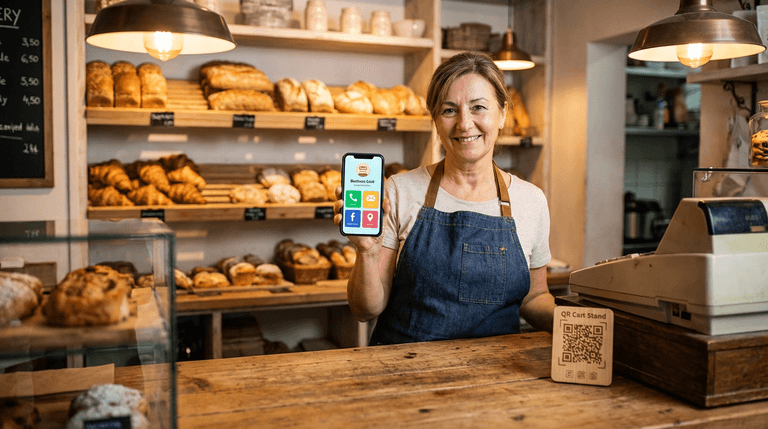
Print your QR code on a countertop stand, a receipt, or a window sticker. Customers scan it and instantly have your full profile saved — no app needed. When they need your service again three months later, your contact info is already in their phone.
At networking events and trade shows
Instead of carrying boxes of paper cards, tap your ready-made NFC card on someone's phone or let them scan your QR code. Your full business profile opens instantly. This is particularly powerful for small business owners who attend local chamber of commerce events, trade fairs, or industry meetups.
In your email signature
Every email you send is an impression. Add your MagicLink URL to your email signature and every recipient — customers, suppliers, partners — can access your full business profile with one click. For a small business owner sending dozens of emails daily, that's dozens of networking opportunities that cost nothing extra.
On social media
Instagram and TikTok bios allow one link. Facebook pages have limited space. Your digital business card consolidates everything — store link, booking page, contact info, and location — into a single URL that works everywhere.
On printed materials
Already have flyers, brochures, or product packaging? Add your QR code. It bridges the gap between physical and digital, turning a piece of paper into an interactive experience that leads directly to your business profile.
How to Set Up Your Small Business Digital Card
- Sign up at MagicLink — free, no credit card required
- Add your business name, your name, and a professional photo — keep it clean and recognizable
- Add contact buttons — phone, email, WhatsApp, and location at minimum
- Link your booking page — if applicable, connect Calendly, Cal.com, or your own scheduling system
- Add your social media — every platform where your business is active
- Link your website or online store — make it easy for people to buy
- Add a Google Reviews link — encourage satisfied customers to review you
- Customize the design — match your brand colors using templates or full customization (available on the free plan)
- Download your QR code — print it for your store, products, or marketing materials
- Order a ready-made NFC card — available in plastic, wood, or metal, linked directly to your profile for tap-to-share networking
The Competitive Edge
Most small businesses in your area are still using paper cards — or no cards at all. Having a polished digital business card signals that your business is modern, professional, and easy to work with. When a potential customer compares you to a competitor and your contact info is already saved in their phone while the competitor's paper card is lost in a drawer, you win.
With MagicLink's Pro plan, you also get analytics that show which links get clicked, where your visitors come from, and how your page performs over time. For a small business owner, that's marketing intelligence that used to require expensive tools.
The Bottom Line
Small business owners need every advantage they can get. A digital business card costs less than paper, converts better, stays current without reprinting, and makes your business accessible from a single link.
Whether you're a bakery owner, a plumber, a boutique retailer, or a local service provider — if people need to find and contact you, a digital business card is the simplest upgrade you can make.
Create your free small business digital card on MagicLink