How Restaurants and Cafes Use QR Code Profiles for Better Customer Engagement
Key Takeaways
- A QR code profile page gives restaurants and cafes a full digital presence — not just a menu link
- One page can hold Google Maps directions, reservation links, social media, reviews, event announcements, and contact info
- QR codes on tables, receipts, and storefronts turn every customer touchpoint into an engagement opportunity
- MagicLink works for businesses too — create unlimited pages for free with full customization
QR Codes in Restaurants: Beyond the Menu
When most people think of QR codes in restaurants, they think of digital menus. And yes, the pandemic accelerated that trend — scan a code, see the menu on your phone. Simple enough.
But here is the problem: a menu-only QR code is a missed opportunity.
Your customers are already pulling out their phones. They are already scanning. Why send them to a static PDF when you could send them to a page that shows everything your restaurant has to offer?
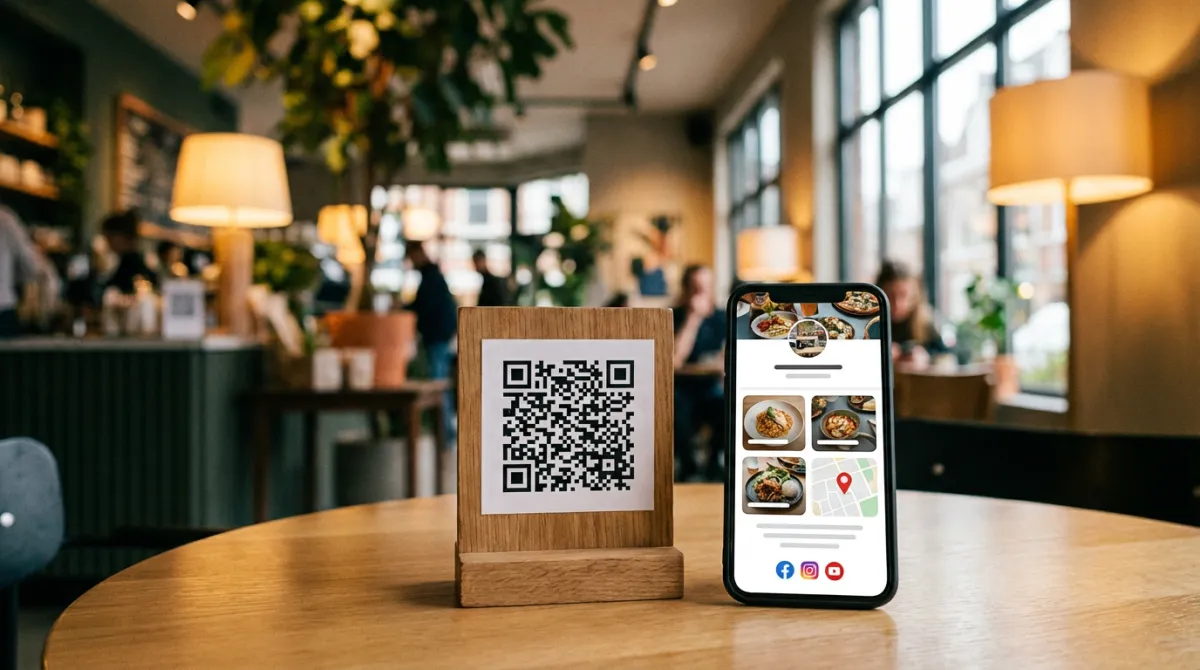
That is exactly what a QR code profile page does. Instead of linking to a menu file, you link to a full digital presence — a single page where customers can browse your menu, find you on Google Maps, follow you on Instagram, leave a review, book a table, and save your contact info.
What a Restaurant QR Profile Page Looks Like
Think of it as a landing page built specifically for your restaurant. Here is what goes on it:
Contact information and location
- Phone number with a click-to-call button — no more squinting at a number printed on a receipt
- Google Maps link — one tap and the customer gets directions, which is especially useful for tourists or first-time visitors
- WhatsApp button — for reservations, catering inquiries, or quick questions
- Email — for corporate bookings and event inquiries
Social media and reviews
- Instagram — your food photography, behind-the-scenes content, daily specials. An Instagram follow button on your QR profile page turns a one-time diner into a regular follower
- Facebook — events, community posts, and check-ins
- Google Reviews link — make it effortless for happy customers to leave a review. Instead of hoping they remember to review you later, put the link right in front of them while they are still enjoying their meal
- TripAdvisor — essential for restaurants in tourist areas
Reservations and ordering
- Reservation link — connect to your booking system (OpenTable, Resy, or even a simple Google Form)
- Online ordering — link to your delivery platform or website ordering page
- Menu link — yes, you can still include the menu, but now it is just one part of the experience
Events and announcements
- Live music nights, seasonal menus, happy hour details, holiday hours — update your profile page anytime and every QR code in your restaurant automatically shows the latest info
- Special promotions — link to a loyalty program, announce a tasting event, or promote a new dish
Why This Works Better Than a Paper Menu QR Code
One link, always up to date
Print a QR code that points to a PDF menu and you are stuck. Change the menu? You need a new PDF. Change the prices? New PDF. Add a seasonal dish? New PDF. And you better hope every table has the updated code.
With a profile page, you update the page once and every QR code in your restaurant reflects the change instantly. No reprinting, no stale information.
Every visit becomes a connection
A customer scans your QR code, sees your Instagram, taps "Follow." Now you can reach them with tomorrow's special, next week's event, or a seasonal promotion. That is not just a meal — that is an ongoing relationship.
The same goes for Google Reviews. A customer who just had a great experience is most likely to leave a review right now, not three days later when they get an email reminder. Put the review link in their hands while they are still at the table.
It works for every touchpoint
QR codes are not just for tables. Put them on:
- Receipts — "Enjoyed your meal? Follow us and leave a review"
- Takeaway packaging — reach delivery and takeout customers
- Storefront windows — attract walk-by traffic with your menu, hours, and reviews
- Business cards — the owner or manager's card links to the restaurant profile
- Flyers and posters — event promotions with a direct link to book or learn more
- Table tents — dedicated display for scanning
It builds trust with new customers
A tourist searching for a restaurant sees a QR code in the window. They scan it and instantly see the menu, reviews, photos, and location. No searching on Google, no hoping the website is mobile-friendly. Everything is right there, designed for phones.
How MagicLink Works for Restaurants and Cafes
MagicLink is not just for individuals. Businesses — from single-location cafes to restaurant chains — use MagicLink to build QR code profile pages that serve as a complete digital front door.
What you get for free
- Unlimited pages — create separate profiles for each location, each event, or even each menu section
- Full customization — colors, layout, buttons, links, social icons, and contact info
- QR code — every page gets a shareable QR code ready for print
- Mobile-first design — looks great on every phone, no app needed for visitors
What Pro adds ($1.17/month)
- Custom slug — use
magiclink.az/your-restaurant-nameinstead of a random URL - Analytics — see how many people scan your QR code, which links they tap, and when traffic peaks
- Templates — professional designs built for businesses
- Apple & Google Wallet card — your restaurant's contact info saved directly to a customer's phone wallet
Ready-made NFC cards
MagicLink also offers ready-made NFC cards — physical cards that customers or staff can tap with their phone to instantly open your profile page. Place one at the host stand, give one to your manager, or hand them out at events.
Real-World Use Cases
The neighborhood cafe
A small cafe in Baku prints QR codes on every table tent. Customers scan to see the menu, but they also see the cafe's Instagram (daily latte art posts), a Google Reviews button, and a WhatsApp number for pre-orders. Within three months, their Instagram following doubles and their Google rating climbs from 4.2 to 4.6 — simply because they made it easy to follow and review.
The restaurant chain
A restaurant group with five locations creates a separate MagicLink page for each branch. Each page has location-specific hours, Google Maps directions, and reservation links. The QR codes on tables are identical across all locations — they just point to different profile pages. Management updates menus and promotions centrally.
The event venue
A restaurant that hosts live music nights creates a dedicated MagicLink page for events. The QR code goes on posters around the city. Visitors scan and see the upcoming schedule, ticket links, social media, and directions. After the event, the page updates automatically for the next one.
How to Set Up a QR Profile for Your Restaurant
- Sign up on MagicLink — it takes less than two minutes
- Add your restaurant's info — name, logo, description, contact details
- Add links and buttons — Google Maps, reservation system, menu, Instagram, Google Reviews, WhatsApp
- Customize the design — match your brand colors and style
- Download the QR code — print it on table tents, receipts, packaging, storefronts, and anywhere else customers interact with your brand
- Update anytime — change the menu, add events, swap promotions. Every QR code updates automatically.
Stop Wasting Your QR Codes on PDF Menus
Your customers are already scanning QR codes in your restaurant. The question is whether you are sending them to a dead-end PDF or to a page that builds your brand, grows your social following, collects reviews, and keeps customers coming back.
A QR code profile page turns every scan into a connection. And with MagicLink, you can build one for free in minutes.